REF: MEN-2026-0051
Radiology
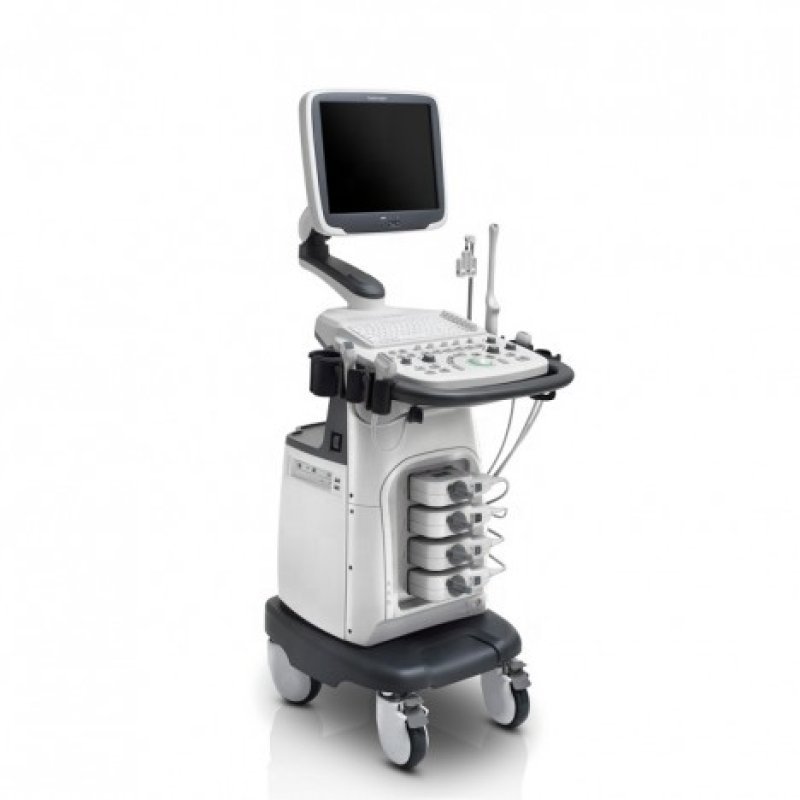
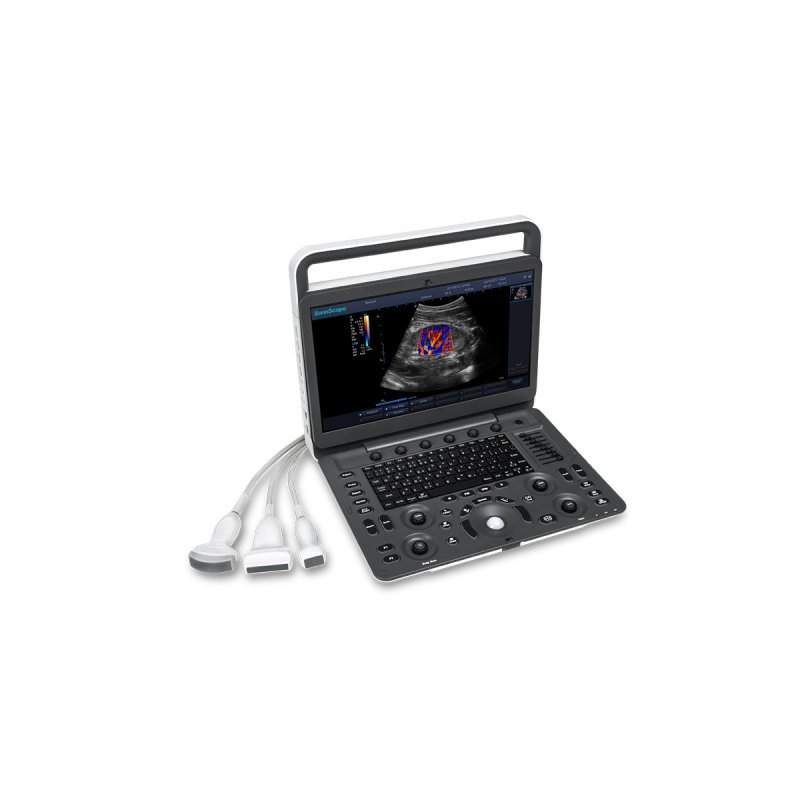
Table Top Ultrasound
Sold & Shipped By
Official Store
Price on Request
Product Code MEN-2026-0051
Condition New
Availability In Stock
Warranty
Sub-Category Scanning Device
C-field Beam: Provides continuously dynamic focus for enhanced contrast resolution, improved signal-noise ratio, and greater image uniformity.
μ-Scan+: The latest generation of speckle reduction technology that reduces noise, enhances image clarity, and strengthens signal strength.
SR Flow: Enables detailed visualization of low-speed blood flow and small vessels, improving vascular assessment.
Tissue Specific Imaging (TSI): Automatically optimizes image quality based on tissue type (e.g., muscle, fat, fluid).
Dynamic Color: Enhances sensitivity for better color Doppler imaging.
Wide Range of Tools: Includes Tissue Harmonic Imaging (THI), Phase Inversion Harmonic Imaging (PHI), Spatial Compound Imaging, and Panoramic Imaging. Display: 15.6-inch, high-definition, anti-glare, 50° foldable LCD monitor.
Probe Ports: Three active, pinless transducer sockets for quick switching between probes.
Portability: Weighs 6.5 kg (with battery) and has a compact design (38 x 35 x 11 cm).
Keyboard: Backlit keyboard for low-light environments.
Battery: Standard battery for 90 minutes of scanning, with optional higher capacity (3 hours).
μ-Scan+: The latest generation of speckle reduction technology that reduces noise, enhances image clarity, and strengthens signal strength.
SR Flow: Enables detailed visualization of low-speed blood flow and small vessels, improving vascular assessment.
Tissue Specific Imaging (TSI): Automatically optimizes image quality based on tissue type (e.g., muscle, fat, fluid).
Dynamic Color: Enhances sensitivity for better color Doppler imaging.
Wide Range of Tools: Includes Tissue Harmonic Imaging (THI), Phase Inversion Harmonic Imaging (PHI), Spatial Compound Imaging, and Panoramic Imaging. Display: 15.6-inch, high-definition, anti-glare, 50° foldable LCD monitor.
Probe Ports: Three active, pinless transducer sockets for quick switching between probes.
Portability: Weighs 6.5 kg (with battery) and has a compact design (38 x 35 x 11 cm).
Keyboard: Backlit keyboard for low-light environments.
Battery: Standard battery for 90 minutes of scanning, with optional higher capacity (3 hours).
Please contact our technical team for full specifications.
Startup & Setup: Connect the probe and turn on the system. Use the menu to input patient information and select the appropriate exam preset (e.g., abdomen, OB/GYN, cardiac) to automatically adjust imaging parameters.
Image Optimization (B-Mode): Place the probe on the patient with acoustic gel. Adjust depth and gain controls to ensure the structure is clear. Use the μ-Scan feature to reduce noise and improve image quality.
Color Doppler/SR Flow: Press the Color or Doppler button to activate. Position the ROI (Region of Interest) box over the vessel and adjust the scale and gain to avoid aliasing (flow wrapping around) or over-gaining.
Measurement & Saving: Use the "Measure" key for calipers to calculate distances, areas, or volumes. Press the "Save" or "Print" key to store images or video clips (cine loops) to the internal storage or USB.
Battery Operation: The system can run on a built-in Lithium-ion battery for approximately 90 minutes (standard) to 3 hours (high-capacity option).
Image Optimization (B-Mode): Place the probe on the patient with acoustic gel. Adjust depth and gain controls to ensure the structure is clear. Use the μ-Scan feature to reduce noise and improve image quality.
Color Doppler/SR Flow: Press the Color or Doppler button to activate. Position the ROI (Region of Interest) box over the vessel and adjust the scale and gain to avoid aliasing (flow wrapping around) or over-gaining.
Measurement & Saving: Use the "Measure" key for calipers to calculate distances, areas, or volumes. Press the "Save" or "Print" key to store images or video clips (cine loops) to the internal storage or USB.
Battery Operation: The system can run on a built-in Lithium-ion battery for approximately 90 minutes (standard) to 3 hours (high-capacity option).